Friday, April 24, 2009

Backpack Supply Drive

Los Gatos High School is hosting a Backpack Supply Drive starting Friday, May 1st (and ending Friday, May 29th). It is being sponsored by the Los Gatos Rotary Club, the Interact Club, and the Los Gatos High School Library and will benefit the students of Thomas P. Ryan Elementary School in San Jose.

....

Right now the cupboards at Thomas P. Ryan Elementary are bare, and they need the following NEW school supplies for their K-5 students:
  • Binder Paper (NOT COLLEGE RULED)
  • #2 Pencils
  • Crayons
  • Colored Markers
  • Erasers
  • Glue Sticks
  • Rulers
There will be a box located outside the Main Office, and another one in the Library, at Los Gatos High School if you would like to donate any of the above supplies.

Thank you, any donation is greatly appreciated!

Thursday, April 23, 2009

National Poetry Week

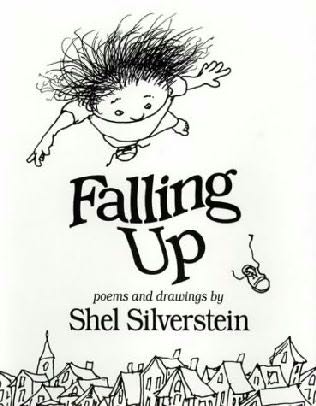
Celebrate the wise and interpretive writings of poetry at the Los Gatos High School Library during National Poetry Week 2009! Our library features a wide variety of poems from Poe to Silverstein. Some of the books featured at our library are:


Famous Poets


For More Information on National Poetry Week, Visit:

http://www.nationalpoetryweek.com/

For More Information on the art of Poetry, Visit:
http://www.poetry.com/
http://www.poets.org/

http://www.poetry-online.org/writing-poetry.htm


Wednesday, April 22, 2009

Earth Week


You can celebrate our earth and all that it provides us at the Los Gatos High School library. In the center of the library, atop the encyclopedias, there is a display of ideas and books for creating a more sustainable planet. Check it out!


Here are some of the books featured in the display:


----The Green Book -------- The Future of Life ------- Energy Alternatives
----

Monday, April 20, 2009

There are Magazines in the Library?

Some of you LG wildcats may not know that the Los Gatos High School library has a vast and up to date selection of magazines. Our library has celebrity gossip, mountain biking, science, photography, news, current events, home, health, nature, and teen magazines!

Whatever interests you, there is sure to be a magazine specialized on that topic. So, stop by and read about it in the serenity of the quiet air-conditioned library.

Plus, if you are interested in the older editions of magazines, or magazines that are no longer in print, our library has magazine archives that date back to as far as 1942! (Just ask for them at the circulation desk)

.

Thursday, April 16, 2009

When I grow up, I want to be a...


Have you started thinking about your career yet? Does the news you hear about the status of the economy make you nervous as you consider college or the workforce?

America's Career InfoNet is a great site to learn all about hundreds of career paths. Learn about the pros and cons of the job, education and training requirements, outlook for the future, estimated salaries, schools and colleges in your area that provide training, related occupations, and more. They even offer short 1-2 minute videos for many of the careers to help you get an insider's perspective. Another plus for this site is that it is sponsored by the U.S. Department of Labor, so you can trust that the information isn't intentionally biased.

If you're just looking for a summer job, check out SnagaJob, a site originally created by and for teens.

How do you look for a job? What kinds of questions do you ask? What other information would you like to know more about related to careers or job-hunting? Leave a comment!

Make Your Life Easier with Shortcut Keys

This may be old news for some of you digital whizzes out there, but if you haven't learned these shortcuts yet, you'll love the time they save you!

My all time faves are for copying and pasting, but I'll share a few other good ones with you too down below. (Note to Mac users: Wherever you see Ctrl, use your apple key instead!)

To copy and paste:
Highlight the text, then click Ctrl + C. Now click your mouse wherever you wish to paste the information and click Ctrl + V. Awesome, right!

If you're wanting to completely cut the text from one area and move it to another, use Ctrl + X to cut, then Ctrl + V to paste like you did above.

Here are a few other nifty shortcuts to remember:

Italics: Ctrl + I
Underline: Ctrl + U
Bold: Ctrl + B
Save: Ctrl + S
Print: Ctrl+ P
New window or document: Ctrl + N
New tab (for Internet browsers): Ctrl + T

You get the idea. To learn more shortcuts, just look at the menu options in your various applications. They'll teach you the shortcuts to the right of the action. See what I mean...


Or on browsers...


Do you know other helpful shortcuts? Share them with your fellow students by leaving a comment on this post.